
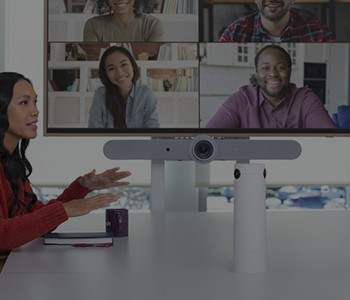
In today’s hybrid working environment, it’s easy for remote meeting participants to find themselves feeling checked out and disengaged, compared to those who are physically present in the boardroom.
After all, video conferences in larger rooms that rely on a single camera, usually fail to give virtual participants enough opportunities to interact.
That’s why SCC has partnered with Logitech to present the most equitable solution yet. Designed for medium-to-large rooms, Logitech Sight brings all participants closer together – no matter where they are.
Giving Remote Attendees A Seat At The Table
As businesses increasingly opt for a hybrid video conferencing setup, it’s important that everybody – both in-person and remote – has a seat at the table.
Logitech Sight has just the solution. By providing a highly responsive front-and-centre view, virtual attendees can see and hear in-room participants more clearly. This helps them feel like they’re actually in the room, and not just side-lined observers.
What Can Logitech Sight Do For Your Meetings?
Build Your Own Multicam Approach
Already got the Logitech Rally Bar or Rally Bar Mini as part of your meeting setup? Then this table top companion is the perfect addition. Sight detects and frames participants as they’re speaking, with a precise, head-on view that can view up to 315 degrees around the room.
Enable Your Favourite Video Platforms
Sight is fully compatible with all of the most popular video conferencing platforms, such as Microsoft Teams, Zoom, and Google Meet. Working seamlessly with features such as Zoom Smart Gallery or Microsoft Teams dynamic view, Sight gives you multiple streams so you can see the action – wherever you are.
Incredibly Easy To Set Up
Sight is incredibly easy to manage. Connect and power it up directly to your Rally Bar or Rally Bar Mini thanks to the cleaning cabling, and it’s incredibly easy to mount.
Troubleshoot Effectively
Once you’ve got things up and running, you can monitor, update and problem-solve Sight remotely using Logitech Sync. No need for site visits – and if you need support, Logitech Select is on hand whenever you need it.
- Medium to Large Rooms – Rooms with around 5-10 seats are the perfect environments for Sight. Sight works alongside the front-of-room camera, which may struggle to equally capture all participants.
- Extra Large and Complex Spaces – Just one Sight can create an equitable camera setup in rooms with 10+ seats, or rooms with a particularly challenging layout.
SCC & Logitech, Improving the Hybrid Working World Together
The partnership between Logitech and SCC is thanks to their shared philosophy that any space can be used for video conferencing – without leaving anyone behind if they’re tuning in remotely, or sitting at the back of the room.
Wondering how to best adapt to the hybrid working world, and bring your remote workers closer to the office, even when they’re far away? Get in touch with our experts and we’ll help you to design a solution that gives everyone a seat at your table.